
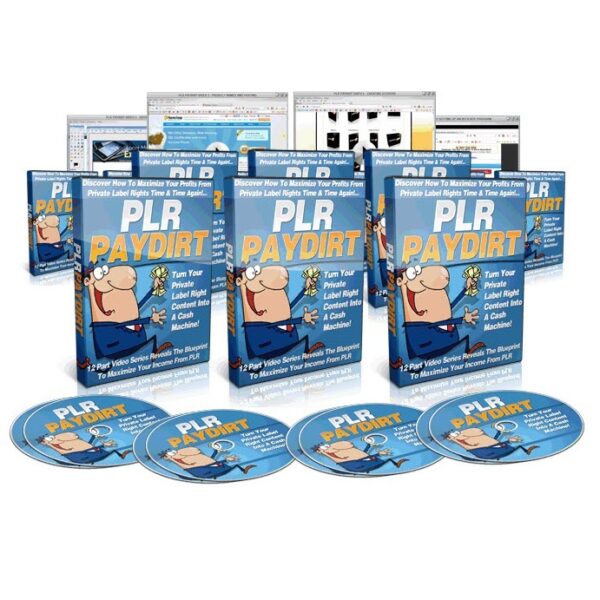
PLR PayDirt – 12 PREMIUM Long Video Training Series


Original price was: $16.87.$2.47Current price is: $2.47.
Your step by Step guide for turning PLR into Profits…
License: Master Resale Rights
Author: Administrator
In This 12 Part Video Course you will be taken through the process of re-branding and setting up a repeatable marketing funnel which will run almost on auto pilot with your PLR products.
Here’s a summary of what you’ll be watching:
VIDEO 1: PLR OVERVIEW
In this video we give an introduction and overview as to what PLR (Private Label Rights) and PLR Products are.
- What is PLR?
- What Are The Differences In Product Rights
- What Types of PLR Products Available
- What You Get With A PLR Package
- Importance Of Re-branding
VIDEO 2: PLR MARKETING FUNNEL
In this video we go over the marketing funnel that will be laid out in the rest of this course.
VIDEO 3: PRODUCT NAMES AND HOSTING
In this video we look at the importance of choosing the right name for your new product as well as purchasing a domain name and setting up hosting.
- Importance of choosing the right product name
- Importance of domain Names
- Purchasing a domain name
- Setting up hosting
- Transferring you name servers to your hosting account
VIDEO 4: EDITING PSD GRAPHICS
In this video we begin the process of re-branding our PLR Content starting with the PLR Graphics
- What Software we Need
- How to Edit A PLR Mini Site
- Working With Layers
- Altering the Look of an existing Mini-site
VIDEO 5: CREATING A BRAND NEW MINISITE
Not all PLR Packages come with Sale Material and Mini-sites So what do you do if you have PLR Rights to a product but no Mini-site to go with it. In this video we look at how to create a brand new mini-site from scratch using nothing but free tools.
- How to create a new mini-site template
- How to add Fonts Brushes & Patterns
- How to work with layers and add layer effects
- How to add images and graphics
- How to split your mini-site graphic so that it can be turned into an HTML web-page
VIDEO 6: CREATING E-COVERS
Regardless of what niche you are working in when it comes to making information products you need a graphical representation of your product That’s where E-Covers come in.
- How to Create a Front cover image for your new E-Covers
- An introduction to the Online Resource I use to Create My E-Covers
- Generating you new E-Covers
- Turning your E-Covers into a combo image
VIDEO 7: REBRANDING PLR E-BOOKS
In this video we look at how to re-brand a PLR EE book or Report to create a product that is unique to you!
- Software You’ll need
- Overview of Re-branding an e-book
- How to change the e-book graphics
- Importance of adding new graphics
- Converting you e-book to a PDF document
VIDEO 8: REBRANDING PLR VIDEO
In this video we look at how to re-brand a PLR Video to create a product that is unique to you!
- Software You’ll need
- Overview of Re-branding PLR Video
- How to Create a New Video Intro
- How to Edit Your Video
- How to Trim the Video
- How to Add Transition Effects
- How to export You Video
VIDEO 9: CREATING A SQUEEZE PAGE AND SETTING UP AN AUTO RESPONDER
Now that we have Re-branded our Product and Graphics it’s now time to set up our marketing funnel
- Software you’ll need
- Setting up your Web-page template
- Adding content
- Adding graphics
- Setting up your Autoresponder
- Creating Web-forms
- Adding The web-form to the Squeeze page
- Creating Thank you and Download Pages
- Setting up your Download Link
- Setting up you auto responder follow up messages
VIDEO 10: EDITING YOUR PLR SALES PAGE
Following on from our squeeze page in this video we will be setting up and editing our PLR Sales Page
- Overview of Editing PLR sales page
- Changing Graphics
- Adding Content
- Creating Product and Bonus Boxes
- Creating Legal Pages
VIDEO 11: SETTING UP AN AFFILIATE PROGRAM
In this video we look at adding our new product to an affiliate network so that we can leverage the power of affiliate marketers
- Introduction to the Affiliate Network
- How to Sign up for a seller account
- How to add your Product to the market place
- How to upload you product for secure downloads
- How to add the affiliate network payment buttons to your web-page
VIDEO 12: UPLOADING TO YOUR SERVER
Now that we have re-branded our PLR products, Graphics and Sales pages and set up our marketing funnel the last step is to upload everything to your server to go live!
- Software required
- Uploading your web pages, images and graphics
- Testing your System.

- Special access to Super Premium Minisite and 4 amazing Video Squeeze Templates in 5 different colors – Check Now.
- You will receive Free Products, promotions and as the first you will have access to PREMIUM Products for FREE – Check Now.
- You will get access to our exclusive AFFILIATE PROGRAM where you will be able to earn 50% Commission on the promotion and sale of our products – Check Now.
License: Master Resell Rights
[YES] Can be sold
[YES] Can be used for personal use
[YES] Can be packaged with other products
[YES] Can modify/change the sales letter
[YES] Can be added into paid membership websites
[YES] Can put your name on the sales letter
[YES] Can be offered as a bonus
[YES] Can be used to build a list
[YES] Can print/publish offline
[YES] Can convey and sell Personal Use Rights
[YES] Can convey and sell Resale Rights
[YES] Can convey and sell Master Resale Rights
[NO] Can modify/change the main product
[NO] Can modify/change the graphics and eCover
[NO] Can be offered through auction sites
[NO] Can be given away for free
[NO] Can be added to free membership websites
[NO] Can convey and sell Private Label Rights
You may also like…
-
PLR – Complete WordPress Digital Products Store With 100 Added Products
Original price was: $97.00.$19.97Current price is: $19.97. -
100 Premium Marketing Ebooks
Original price was: $19.97.$9.97Current price is: $9.97. -
10.000+ Vintage Victorian Nude Risque Titillating Images: 19th and early 20th centuries
Original price was: $47.00.$4.97Current price is: $4.97. -
10.000+ Kids Colouring Images, Activities & Stamped Images
Original price was: $47.00.$4.97Current price is: $4.97. -
18000+ The Complete Woodworking – Thousands Of eBooks, Magazines, Guides, Plans, Techniques, Tips, Tricks
Original price was: $47.00.$4.97Current price is: $4.97. -

Mega Pack – 685 Digital Products – Over 37 GigaBytes For Download
🔥 Premium Product -
3D Pro eCover Creator
Original price was: $12.67.$1.87Current price is: $1.87. -
100 Fitness & Health eBooks
Original price was: $19.97.$9.97Current price is: $9.97.


